Every page on Secret Kitchens belongs to an independent home kitchen, food truck or market stall. We build and host the page. The kitchen cooks, sells and is your contact for everything about your order. This page explains how ordering works so you know what to expect, what is confirmed when, and who to talk to if something needs sorting out.
A kitchen page is a single page at secret-kitchens.com/sellers/ followed by the kitchen’s name. From the top down it shows the kitchen’s photo and a line about it, any notices for this week, the menu with prices and photos, how ordering works for that kitchen, the story of who cooks, their hours or where they will be this week, and how to contact them. Everything on it is written by the kitchen, and the menu and prices are live, so what you see is what they are selling today.
Secret Kitchens is not a marketplace. There is no account to create, no app, and no basket that follows you between kitchens. Each page is that kitchen’s own shopfront.
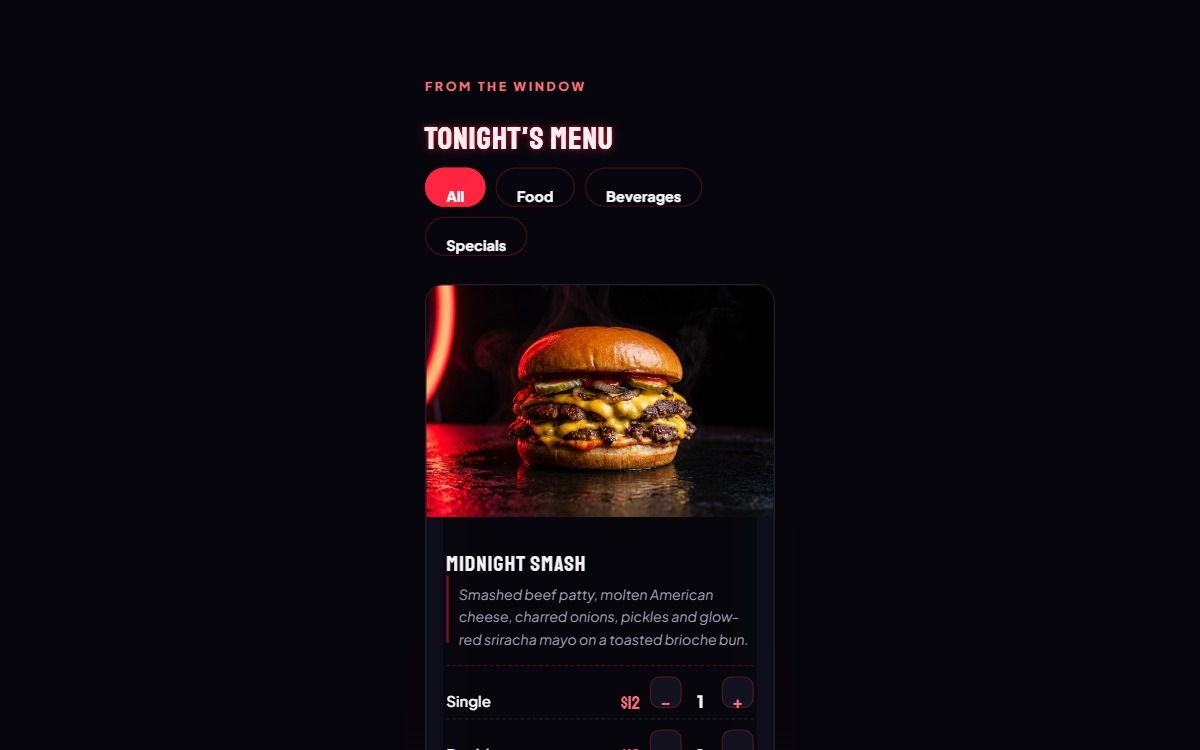
Each item on the menu is a card with a name, a description, a price and a photo, and a plus and minus stepper to set how many you want. Some pages have filter pills above the menu, All, Food, Beverages and Specials, to narrow a long menu. A meal that comes in sizes or flavours is one card with a stepper per size. An item marked sold out stays visible but cannot be added.
A pack is a bundle at one price where you choose what goes in it. Tap Choose your 6 (or whatever the number is), pick from the items the kitchen allows until the count is met, and the pack joins your order. The price stays the same whatever you pick.
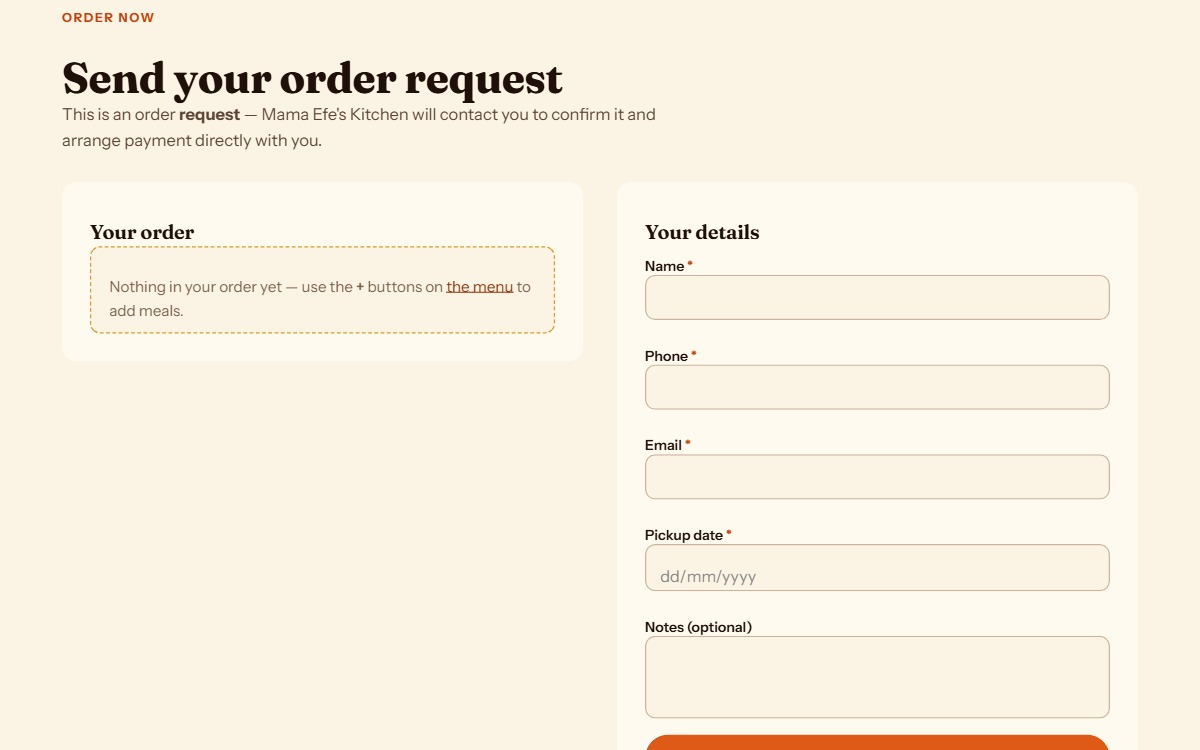
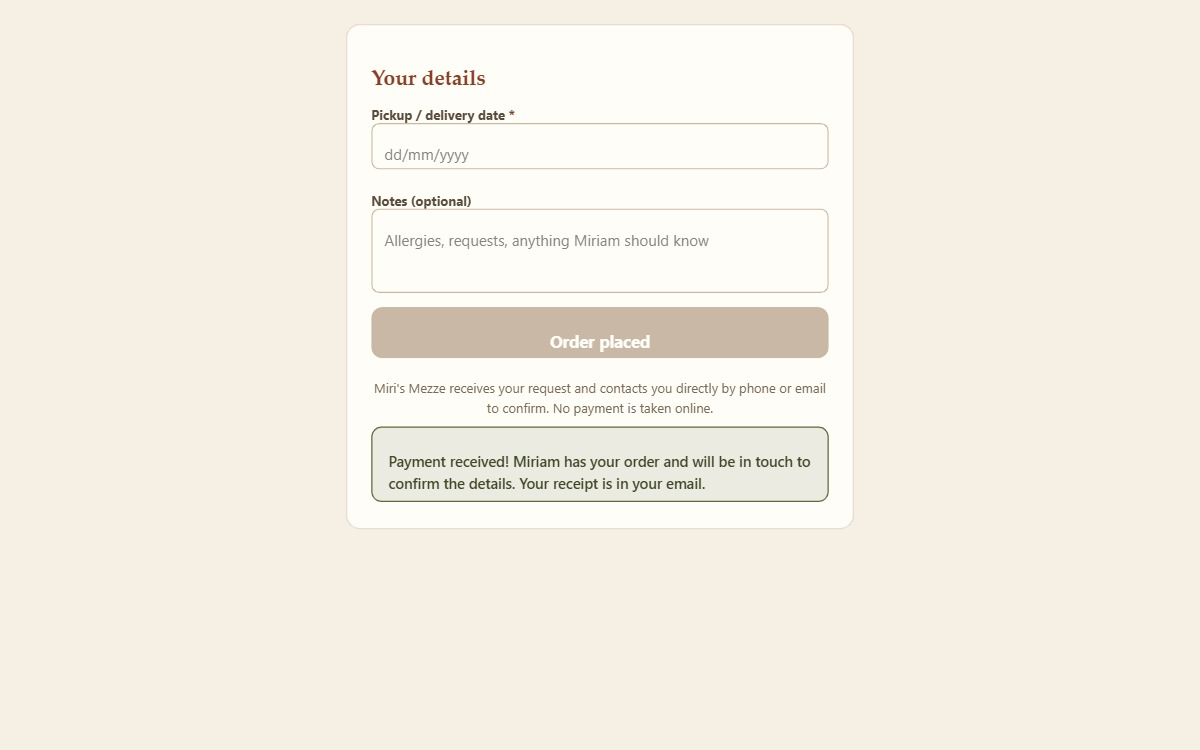
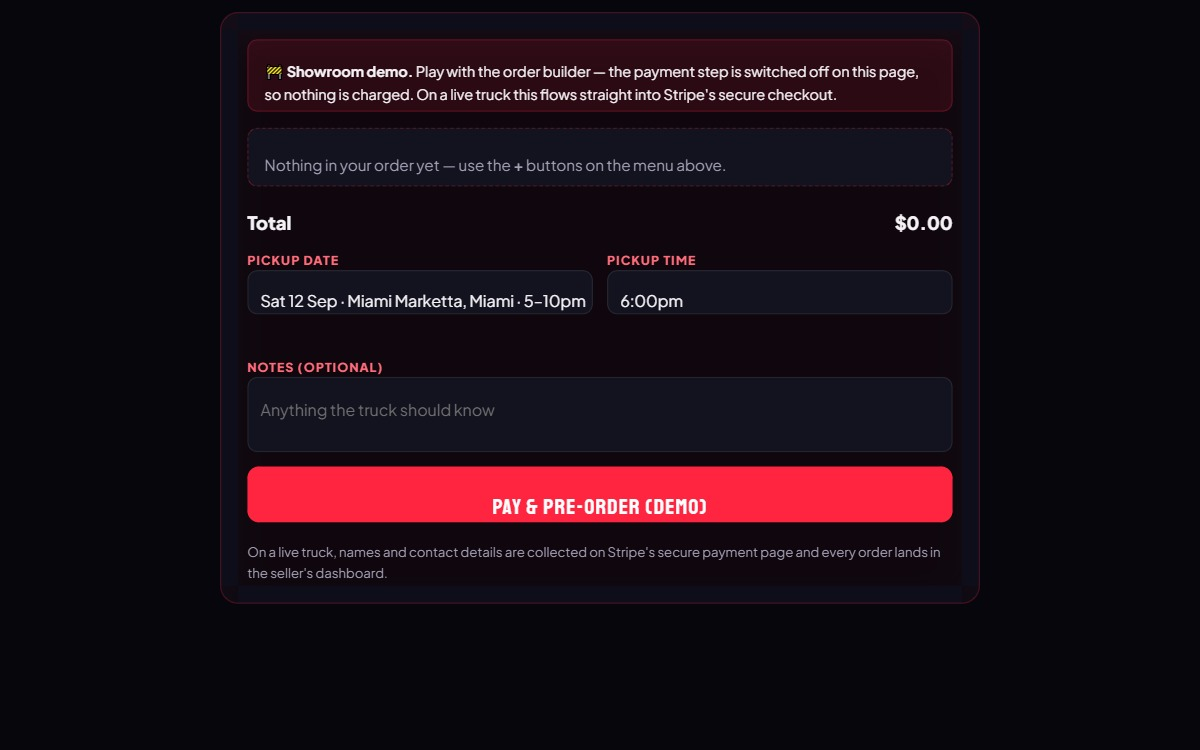
The button at the bottom of the order form tells you which kind of page you are on.
Whichever it is, the kitchen sees exactly what you ordered, your name, phone, email, the date you chose and your notes.
The email you receive says clearly that this is a request, not a confirmed order, and that the kitchen will contact you to confirm availability and lock in your time. If you have not heard back within a day, reply to that email. It goes straight to the kitchen.
If you close the payment page or press back, nothing is charged and no order is placed. The kitchen’s page tells you so, and your items are still on the menu to try again.
The price you pay is the price on the kitchen’s menu at the moment you pay, plus any delivery fee the page states. If something in your order has just sold out, or a pickup time has just filled, the page tells you before you reach the payment step so you can adjust.
Most kitchens are pickup only, and many home kitchens share their exact address only once your order is confirmed. Look for Where to pick up and On pickup day on the page.
If a kitchen offers delivery, the order form has a Delivery option and asks for your address and postcode. Kitchens set their own delivery area and often a minimum order, both stated on the page. On a pay-by-card page, an address outside the area or an order under the minimum is refused with a message before you pay. On a request page, the kitchen confirms delivery when they reply. Any delivery fee is stated on the page and either added at payment or collected by the kitchen with the rest of the order.
Some kitchens, especially trucks and stalls, offer pickup times. Trucks and stalls list the dates they have planned, with where they will be; other kitchens give you a date picker. After you choose a date, a Pickup time list shows the times available that day. A time that has reached its limit is shown as full, and one whose cut-off has passed is shown as closed; neither can be chosen. Days the kitchen is closed, days with no times, and dates further ahead than the kitchen allows are refused with a plain message asking you to pick another day.
Kitchens that deliver may offer delivery windows in the same way. Your chosen time is on your confirmation and on the kitchen’s copy of your order, so it is worth arriving within it.
Every order produces an email to you from Secret Kitchens on the kitchen’s behalf. For a request the subject is Order request received and it says the order is not yet confirmed. For a card payment the subject is Order confirmed and it states your pickup or delivery date, your time if you chose one, and your address if delivering, with a full list of what you ordered and what you paid. Stripe sends its own receipt separately.
Reply-to on that email is the kitchen, so replying to it is the fastest way to reach them about that order.
Contact the kitchen as early as you can, by replying to your confirmation email or using the phone number or social links on their page. Food is made to order and the kitchen may already have bought ingredients, so the sooner you ask the more likely they can help. Some kitchens state a cut-off for changes in their ordering notes. There is no self-service cancel button, because the kitchen needs to know either way.
If you paid by card and the kitchen agrees to cancel, the refund is issued by the kitchen from its own Stripe account back to your card, usually within five to ten business days.
If your order is wrong, missing something, spoiled or not as described, tell the kitchen as soon as possible, ideally the same day. Photos help. The kitchen is the seller and is the one who can replace, fix or refund. Our Refunds and cancellations page sets out what to expect and your rights under the Australian Consumer Law, which no kitchen policy can limit.
Secret Kitchens cannot issue a refund on a kitchen’s behalf, because we never hold the money. If you cannot resolve a problem with a kitchen, you can contact the Office of Fair Trading in your state or territory, and you are welcome to tell us at info@secret-kitchens.com. We take complaints about kitchens on our site seriously.
The Contact section at the bottom of every page lists the kitchen’s public email and phone where they have given one, and buttons for their Facebook, Instagram or TikTok. Many kitchens also take orders by message on those, and the page says so under How to order. For a question about an order you have already placed, replying to your confirmation email is best because it carries your order details.
For a question about the website itself rather than a kitchen, see How to get support.
Was this page useful? Tell us what was missing and we’ll improve it.
 Secret Kitchens